
Os dados dos hóspedes estrangeiros têm de ser comunicados ao SIBA (UCFE) no prazo de 3 dias úteis. Na prática, o mais difícil é muitas vezes recolher esses dados a tempo: enviar o link, esperar pela resposta, copiar os dados dos documentos. O BA Direto tem agora duas funcionalidades novas para simplificar este trabalho: um PDF com QR Code para deixar no alojamento e a leitura automática dos documentos de identificação.
PDF with the Unique Link QR code
As well as copying the Unique Link, you can download a PDF with its QR code. Print it and place it somewhere visible at the property: guests can point their phone camera at the code and complete the form, without you having to send them the link.
How to download the PDF
- In the menu, click Properties.
- In the Property list, open the property details.
- Under Options, click PDF QR Code. The PDF opens in a new window.
- Save or print the file.

What the guest does
The PDF is a single page in English, designed for guests from any country. It shows the property name, the QR code and seven simple steps: scan the QR code, enter the number of guests and the arrival and departure dates, complete each guest’s fields, sign the consent form, confirm awareness of the legal obligation to provide the details, and submit. The PDF also explains this legal obligation and lists the details required.
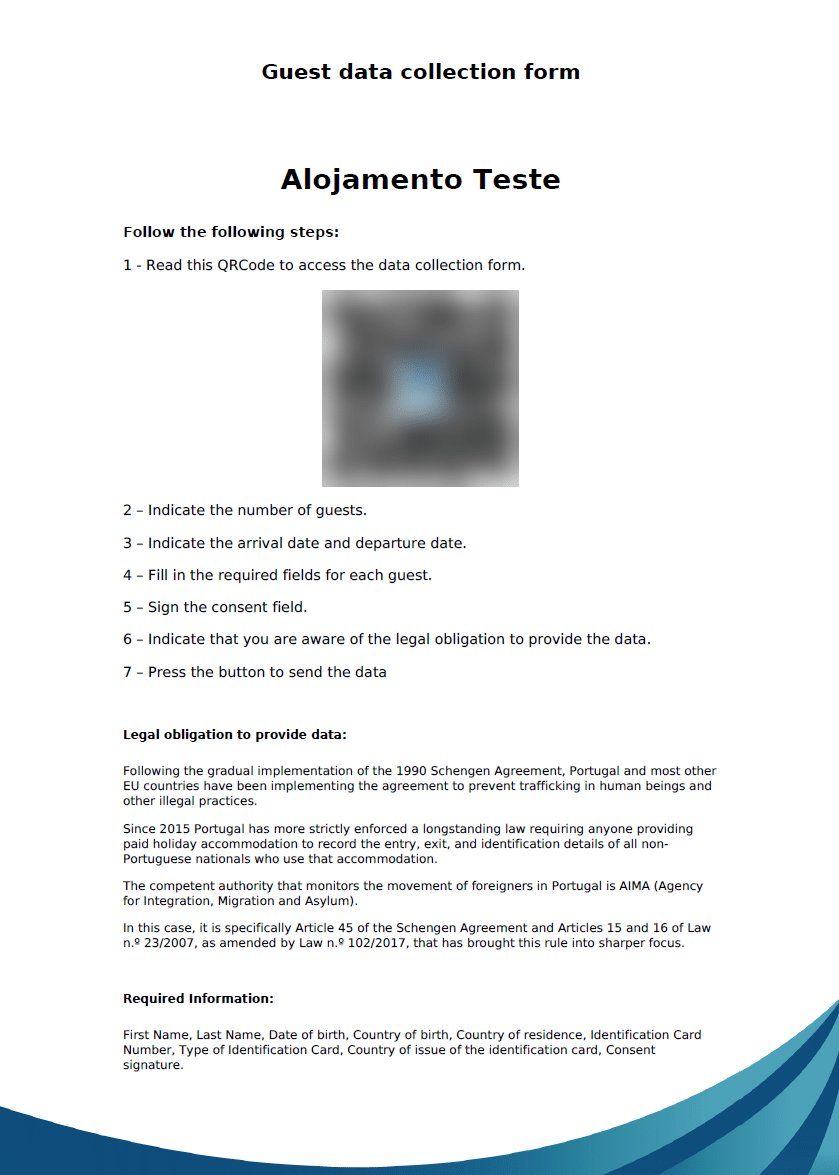
The forms completed by guests arrive in your extranet, ready to review and submit.
Document scanning (OCR)
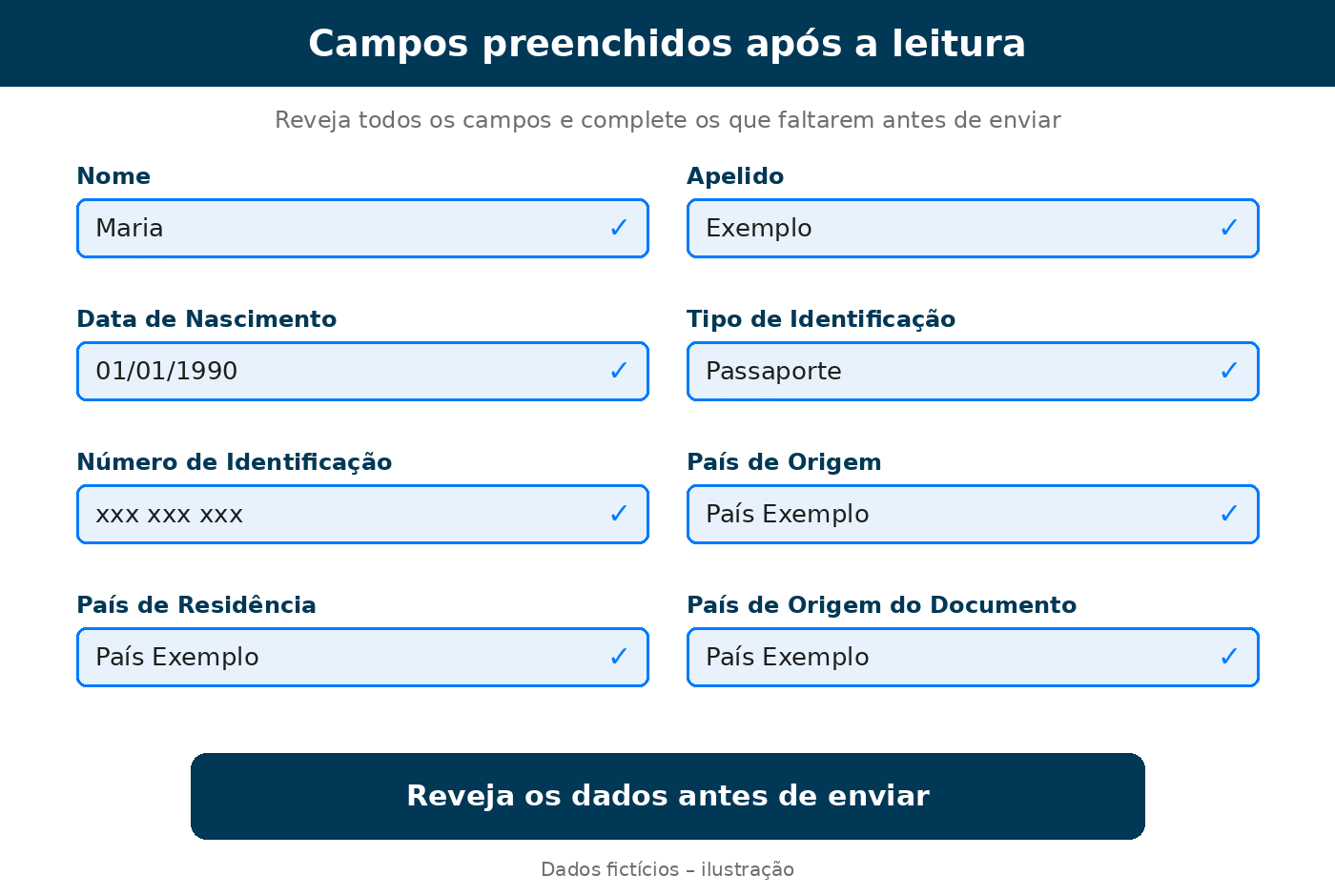
In the guest form, document details can now be read automatically. Simply take a photo of the identity card or passport, or choose a file, and the fields will be filled in.
How it works
- In the guest form, in each guest’s section (for example, Guest no. 1), click Read details from an identity document.
- Click Take a photo or Choose file.
- Click Read document and wait for the scan to finish.
- Review all fields and complete any missing information.
If the scan fails, the fields remain empty and you can complete them manually. The document image is deleted immediately after scanning. Document scanning is only available in the guest form.
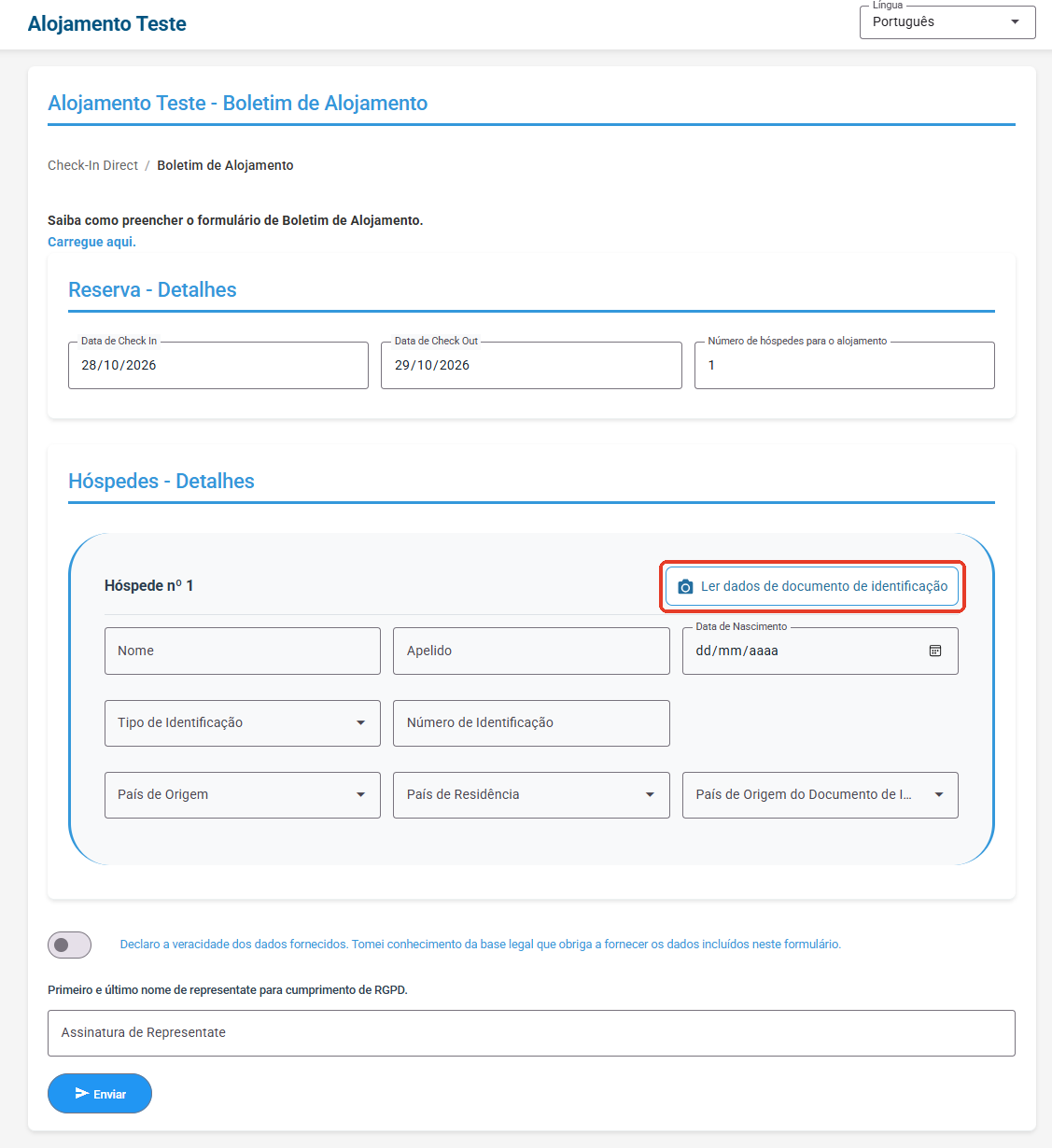
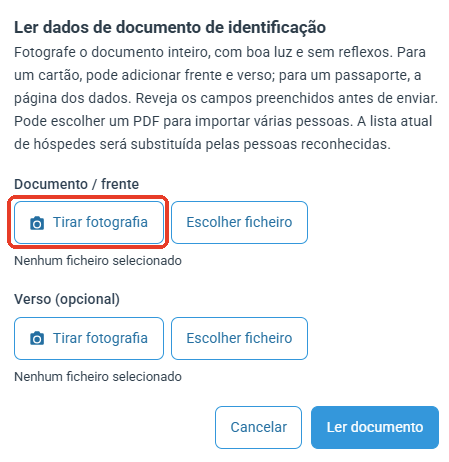
What to photograph
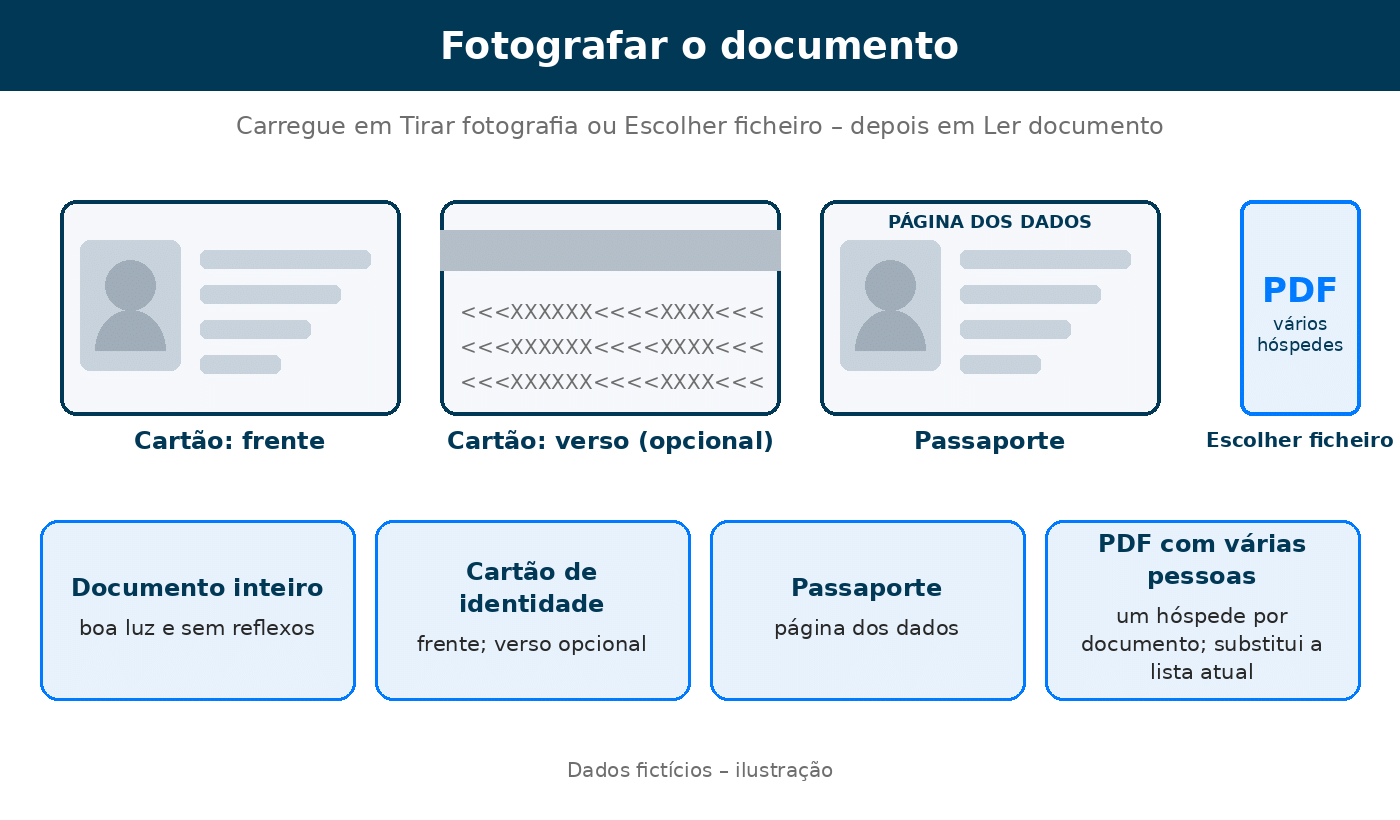
- The entire document, in good light and without glare.
- Identity card: the front; the back is optional.
- Passport: the personal details page.
Always review before submitting
Scanning saves time, but you still need to check the details. Confirm the first name, surname, date of birth, document details and countries before submitting the accommodation bulletin.
Several people in one PDF
If you choose a PDF containing documents for several people, BA Direto reads them all and creates one guest entry per document. Please note: importing replaces the current list of guests in the form.
Getting started
- PDF with the Unique Link QR code: step-by-step guide.
- Document scanning (OCR): step-by-step guide.
- Accommodation bulletin: what happens after the details arrive.
Any questions? Email us at info@badireto.pt.