BA Direto
  • HOME
  • FEATURES AND PRICES
  • INFO
  • FAQ
  • CONTACTS
LOGIN
  • HOME
  • FEATURES AND PRICES
  • INFO
  • FAQ
  • CONTACTS
Articles
Stay up to date with legislation, news and articles about local accommodation. Find it all here!
Start > Articles > New in BA Direto: PDF with QR code and document scanning (OCR)
11 November 2026 In Articles

New in BA Direto: PDF with QR code and document scanning (OCR)

Os dados dos hóspedes estrangeiros têm de ser comunicados ao SIBA (UCFE) no prazo de 3 dias úteis. Na prática, o mais difícil é muitas vezes recolher esses dados a tempo: enviar o link, esperar pela resposta, copiar os dados dos documentos. O BA Direto tem agora duas funcionalidades novas para simplificar este trabalho: um PDF com QR Code para deixar no alojamento e a leitura automática dos documentos de identificação.

PDF with the Unique Link QR code

As well as copying the Unique Link, you can download a PDF with its QR code. Print it and place it somewhere visible at the property: guests can point their phone camera at the code and complete the form, without you having to send them the link.

How to download the PDF

  1. In the menu, click Properties.
  2. In the Property list, open the property details.
  3. Under Options, click PDF QR Code. The PDF opens in a new window.
  4. Save or print the file.
Botão PDF QR CODE nas opções do alojamento na extranet BA Direto
PDF QR CODE button.

What the guest does

The PDF is a single page in English, designed for guests from any country. It shows the property name, the QR code and seven simple steps: scan the QR code, enter the number of guests and the arrival and departure dates, complete each guest’s fields, sign the consent form, confirm awareness of the legal obligation to provide the details, and submit. The PDF also explains this legal obligation and lists the details required.
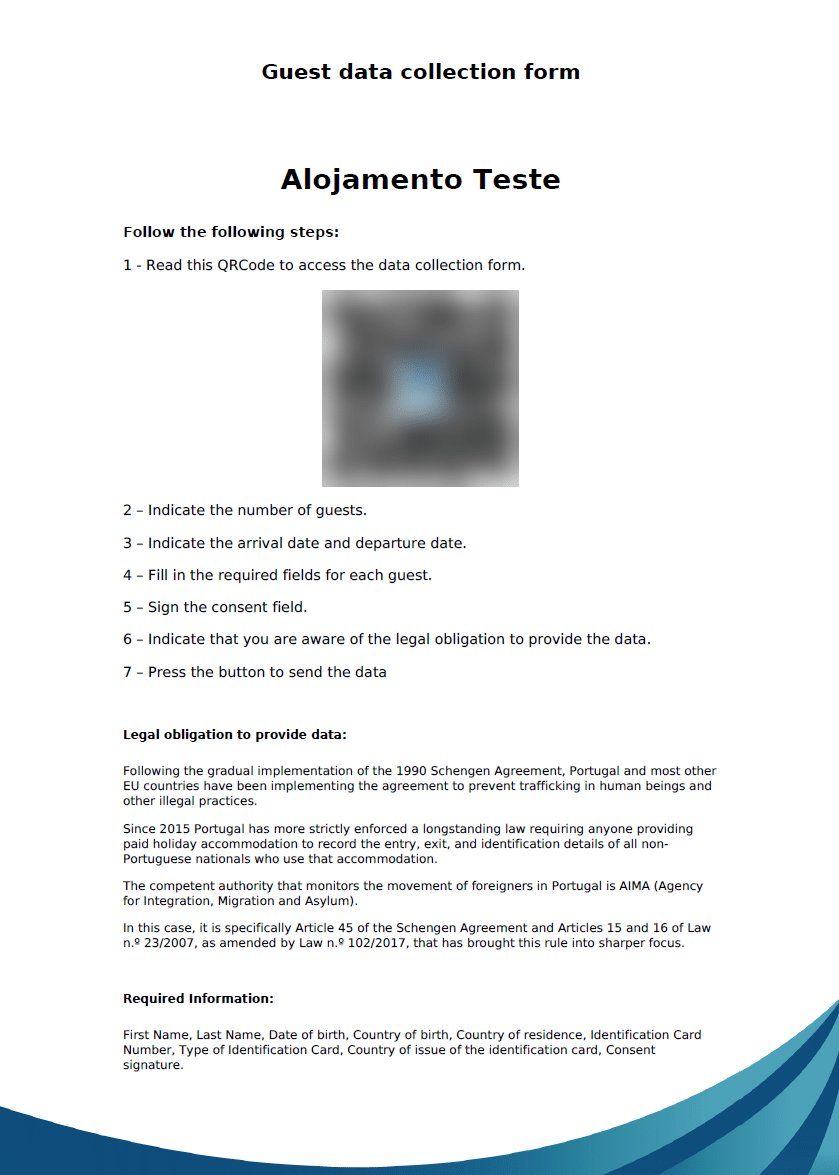
 

PDF em inglês com o QR Code do Link Único de um alojamento BA Direto
PDF with the Unique Link QR code.

The forms completed by guests arrive in your extranet, ready to review and submit.


Document scanning (OCR)

In the guest form, document details can now be read automatically. Simply take a photo of the identity card or passport, or choose a file, and the fields will be filled in.

How it works

  1. In the guest form, in each guest’s section (for example, Guest no. 1), click Read details from an identity document.
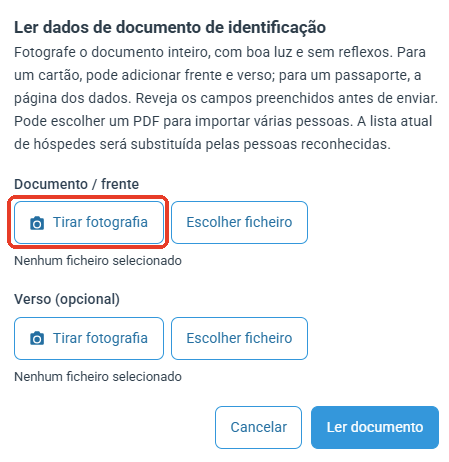
  2. Click Take a photo or Choose file.
  3. Click Read document and wait for the scan to finish.
  4. Review all fields and complete any missing information.

If the scan fails, the fields remain empty and you can complete them manually. The document image is deleted immediately after scanning. Document scanning is only available in the guest form.
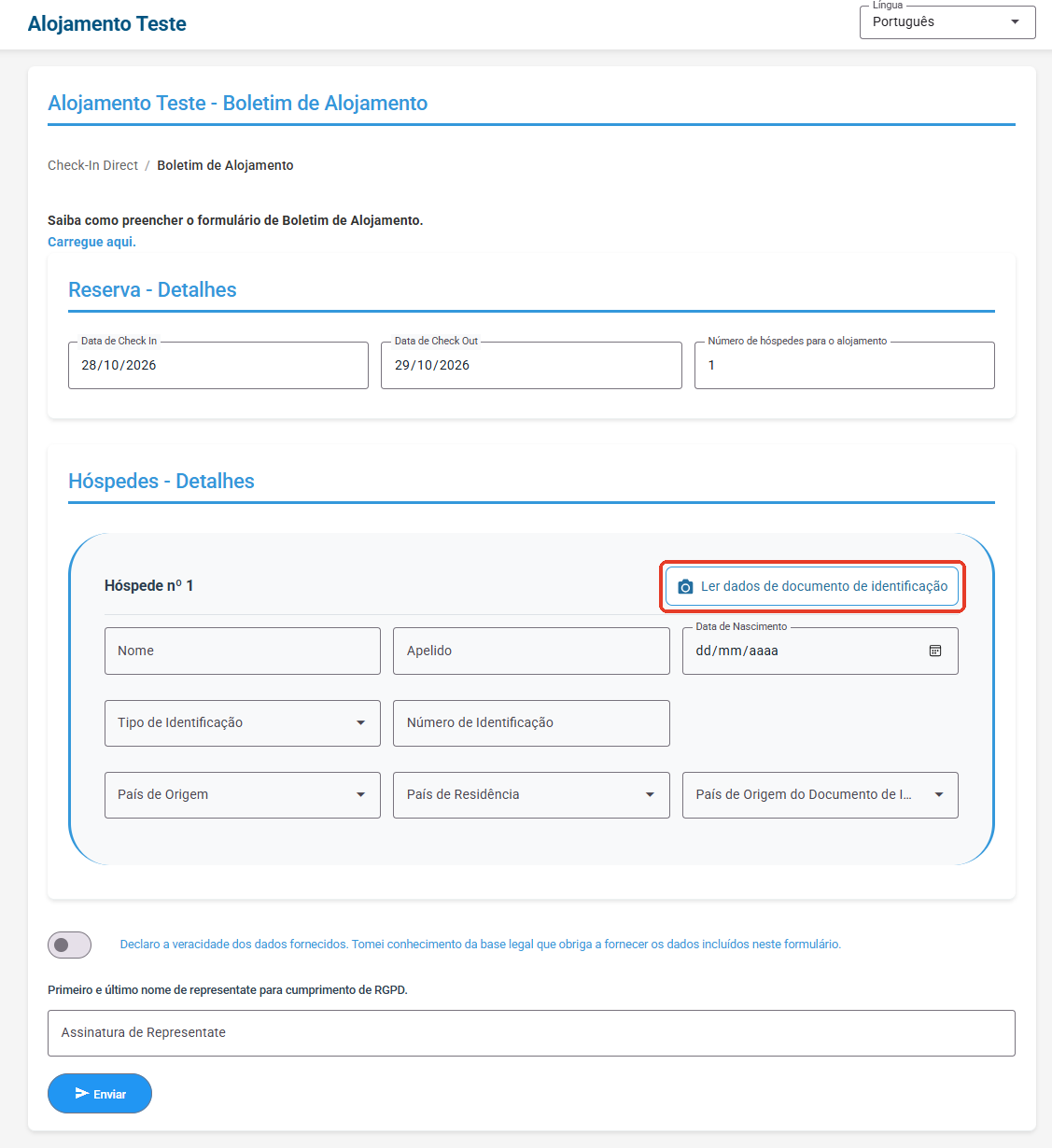
Formulário do hóspede no BA Direto com o botão Ler dados de documento de identificação assinalado no bloco do hóspede
Read details from an identity document button.
Janela de leitura do documento com os botões Tirar fotografia, Escolher ficheiro e Ler documento
Document scanning window.

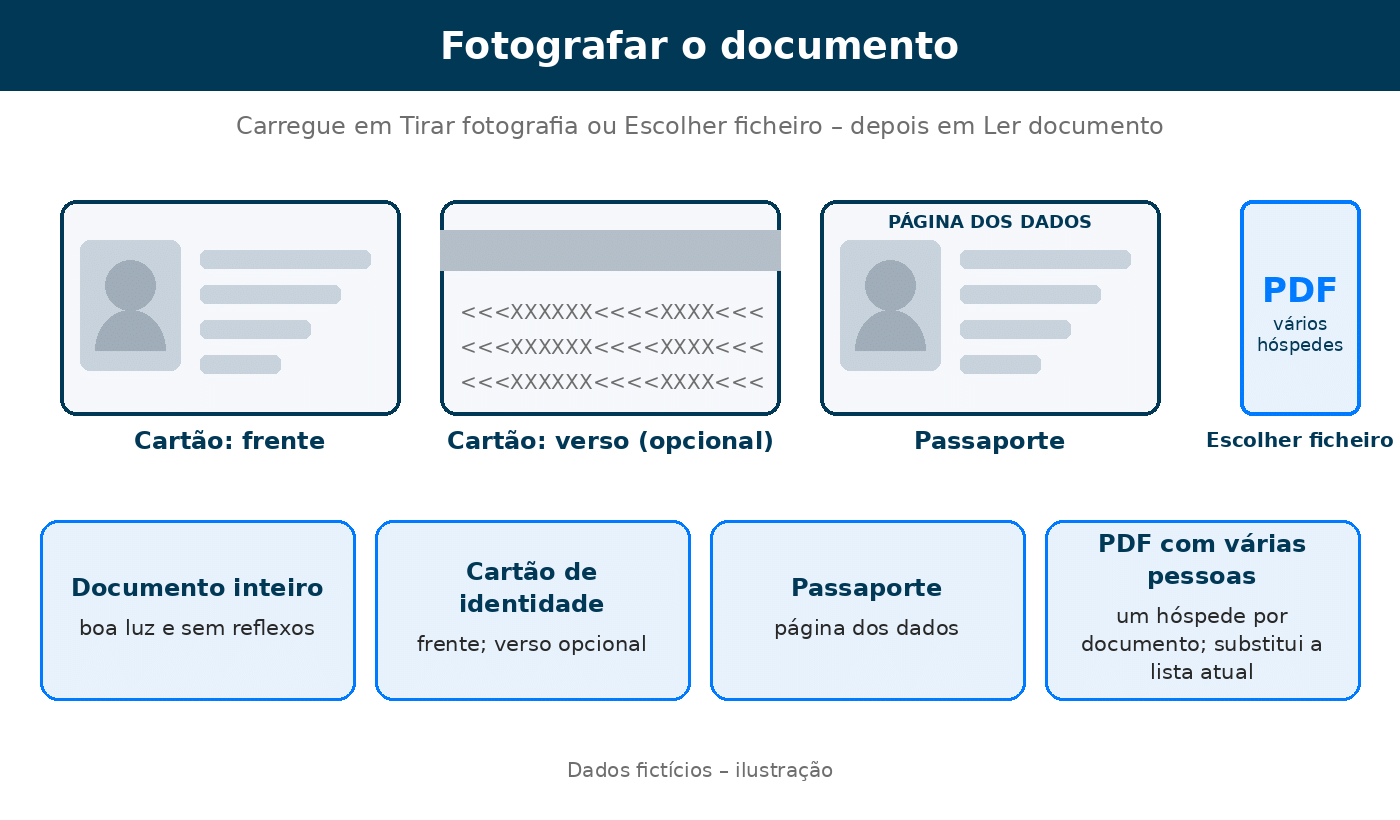
What to photograph

  • The entire document, in good light and without glare.
  • Identity card: the front; the back is optional.
  • Passport: the personal details page.
Esquema dos documentos aceites para leitura: frente e verso opcional do cartão de identidade, página dos dados do passaporte e PDF com vários hóspedes (dados fictícios)
Photograph the entire document in good light, without glare: an identity card, passport or PDF containing several people’s documents.

Always review before submitting

Scanning saves time, but you still need to check the details. Confirm the first name, surname, date of birth, document details and countries before submitting the accommodation bulletin.
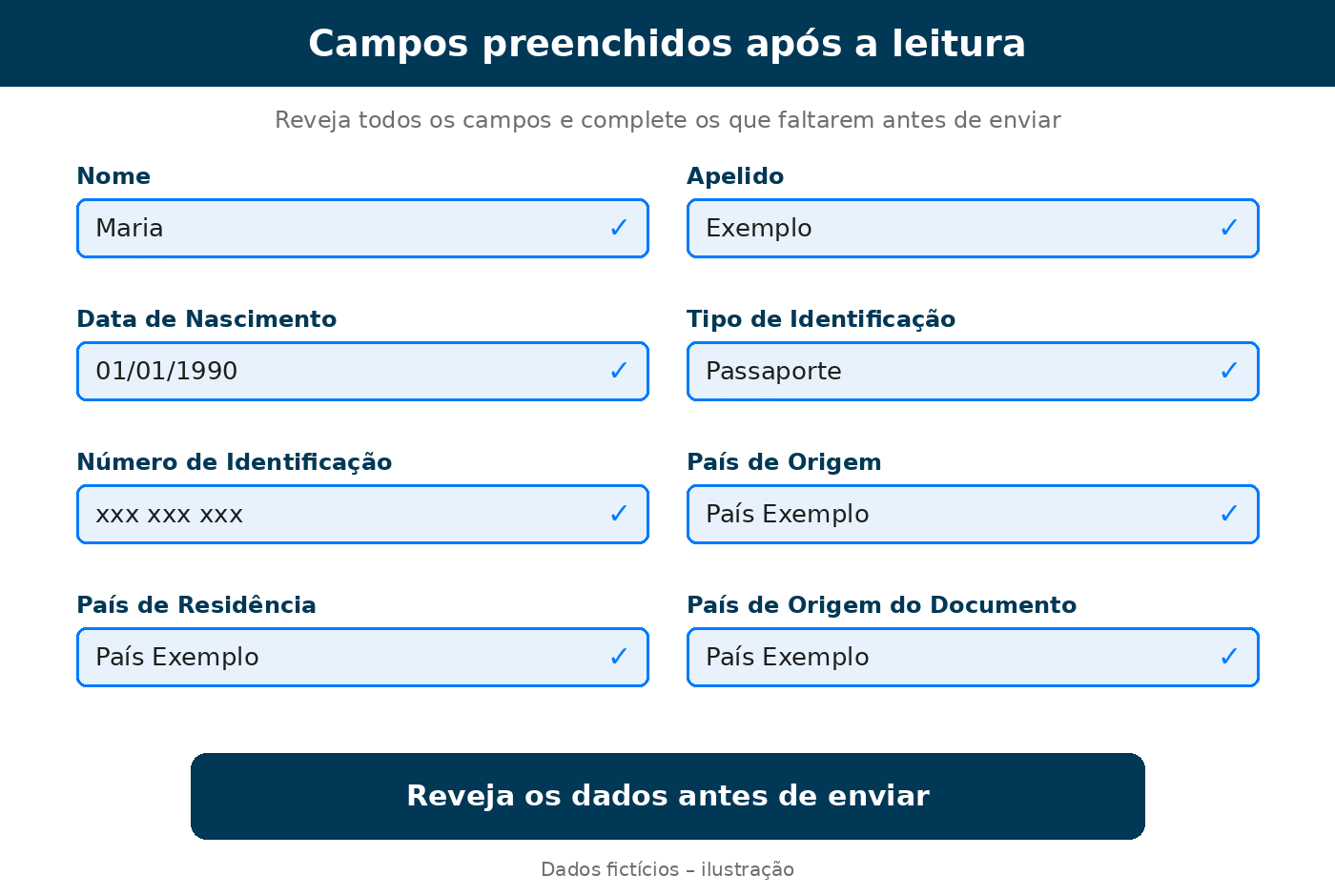
Campos do hóspede preenchidos após a leitura do documento: nome, apelido, data de nascimento, tipo e número de identificação e países (dados fictícios)
Fields filled in after scanning: review them before submitting.

Several people in one PDF

If you choose a PDF containing documents for several people, BA Direto reads them all and creates one guest entry per document. Please note: importing replaces the current list of guests in the form.

Getting started

  • PDF with the Unique Link QR code: step-by-step guide.
  • Document scanning (OCR): step-by-step guide.
  • Accommodation bulletin: what happens after the details arrive.

Any questions? Email us at info@badireto.pt.

Share:
Previous StoryThe AI Act and Local Accommodation: Obligations for Managers in 2026

Back to Useful information or

Generic filters

Exact matches only
Filter by Blog Categories

Articles
BA Direto on YouTubeBA Direto on FacebookBA Direto on InstagramContact BA Direto on WhatsApp

All rights reserved | Dev by DesignCorner
BA Direto is owned by BAD - DIGITAL MARKETING, LDA
Terms and conditions & Privacy Centre

Livro de Reclamações Eletrónico

We use cookies to deliver the best online experience. By agreeing to accept the use of cookies in accordance with our cookies policy.

I accept
Privacy Centre Cookies Policy
Privacy Settings saved!
BA Direto
Privacy Settings

When you visit any web site, it may store or retrieve information on your browser, mostly in the form of cookies. Control your personal Cookie Services here.

Necessary Marketing Privacy Centre Privacy Policy Cookies Policy
These cookies are necessary for the website to function and can not be switched off in our systems.

Technical Cookies
In order to use this website we use the following technically required cookies
  • wordpress_test_cookie
  • wordpress_logged_in_
  • wordpress_sec

These cookies are set through our site by our advertising partners.

ChatGPT Ads — OpenAI Pixel
Medição das visitas ao site para avaliar os resultados dos anúncios do BA Direto no ChatGPT, através do pixel da OpenAI. Serviço opcional, ativado apenas com o seu consentimento de marketing. Utiliza os cookies __oppref (até 30 dias) e __obref (até 365 dias). Pode retirar o consentimento nas definições de privacidade.
  • __oppref
  • __obref

Decline all Services
Accept all Services
EnglishEN
PortuguêsPT