
Incomplete bulletins
When guests enter their own details, the bulletin stays under Incomplete bulletins until they submit the form. You can send them the stay link or an email.
Watch the video: View incomplete bulletins

Send the stay link
- In stage 1 of the Accommodation bulletin, click Copy link. The “Link copied” window appears: the link is on your clipboard. Click Close.
- Paste it into your conversation with the guest (WhatsApp, SMS or messages through the booking platform).
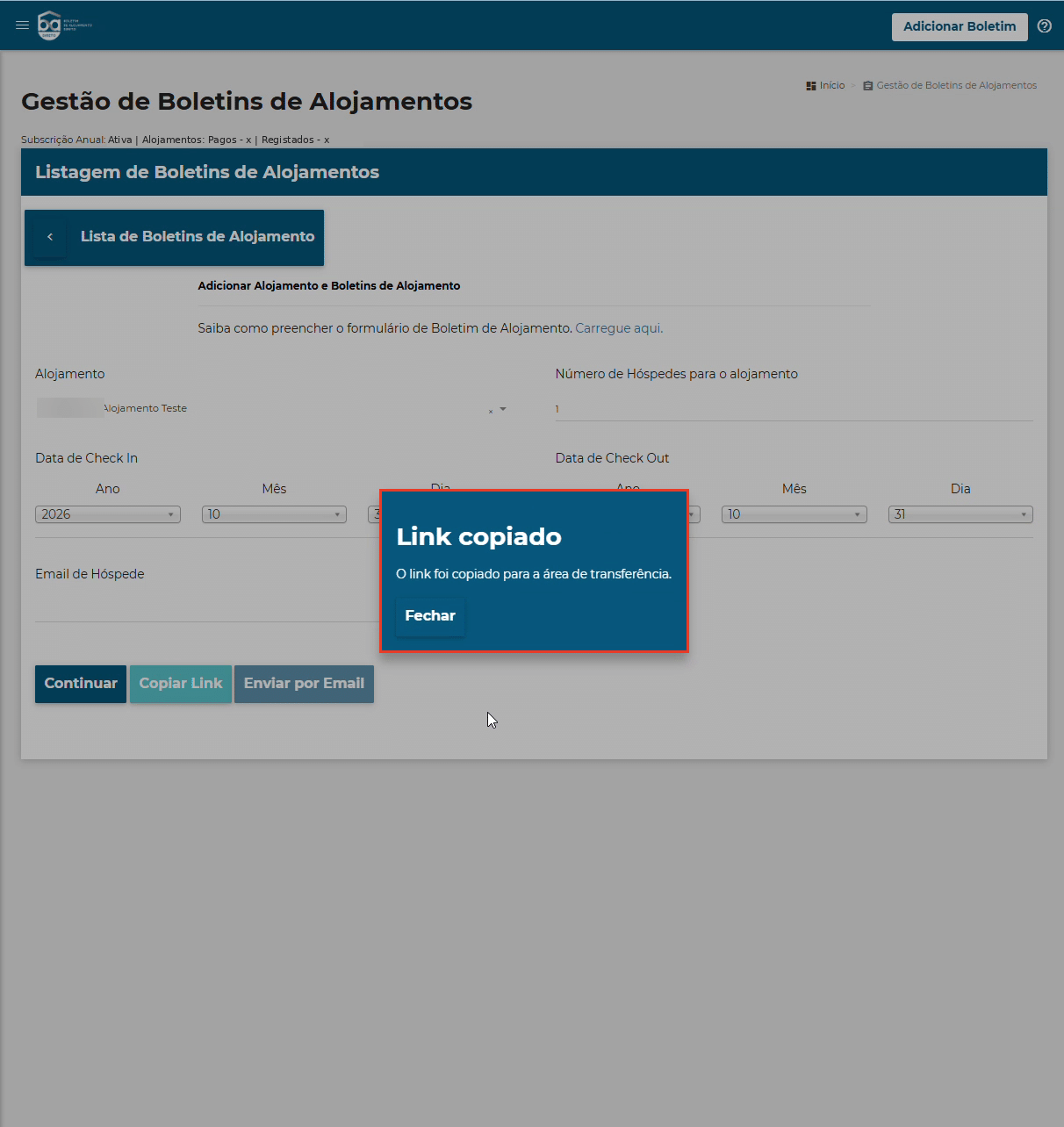
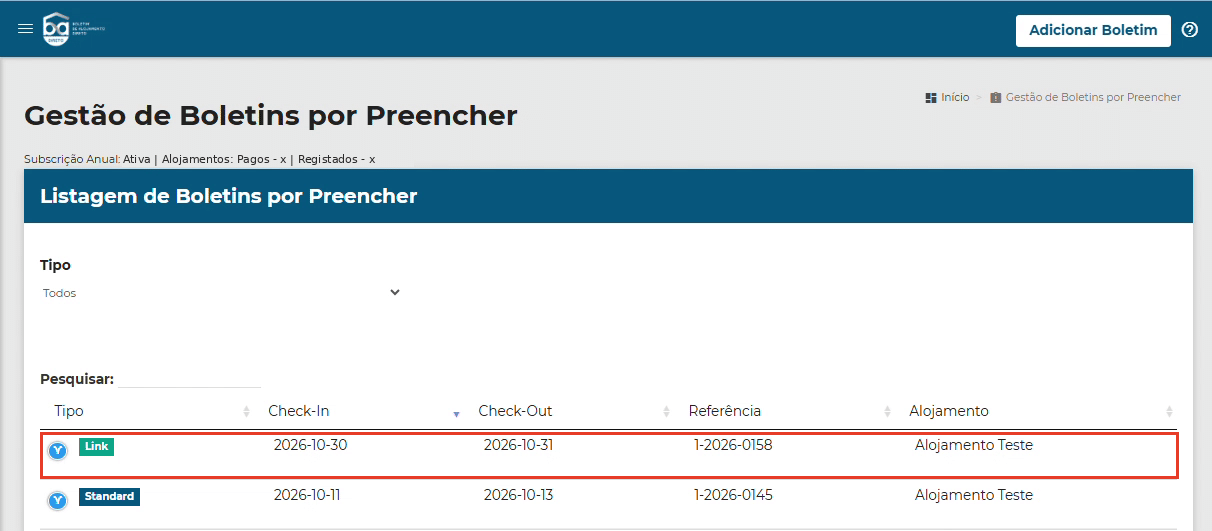
The bulletin will then appear in the list Incomplete bulletins.
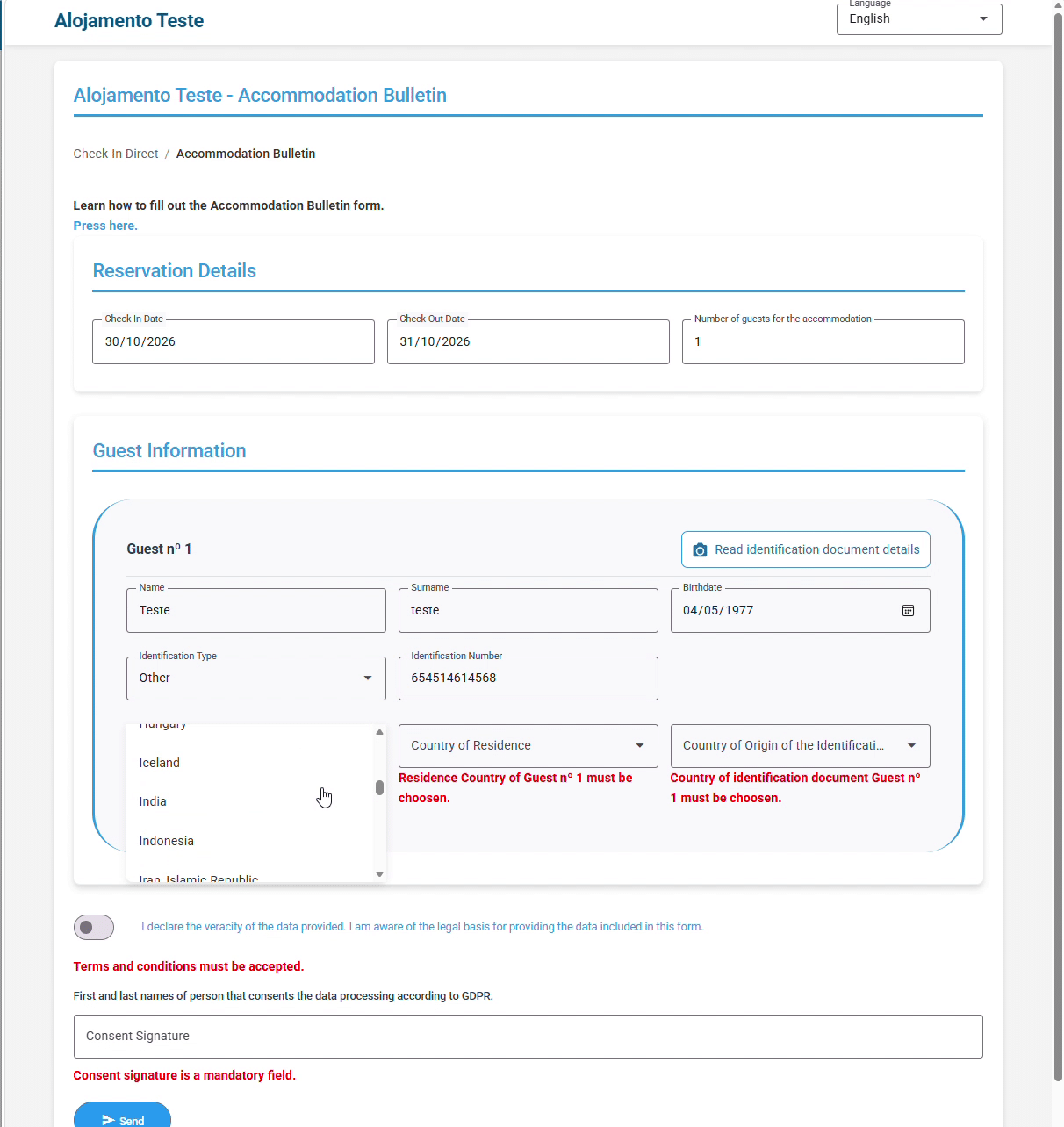
What the guest sees
The guest opens the link, completes the form in their own language and submits it. A confirmation message appears at the end.
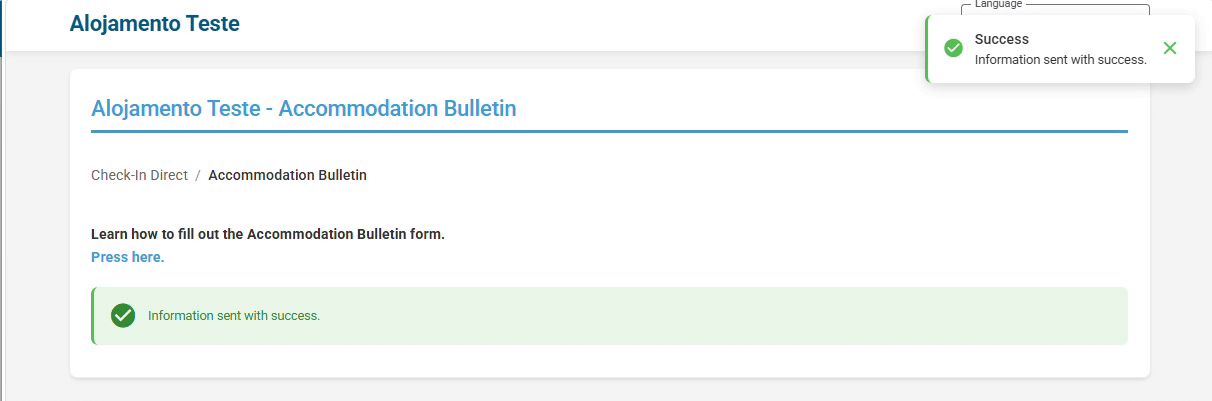
The completed bulletin appears in the bulletin list, ready to check and submit to SIBA (UCFE).
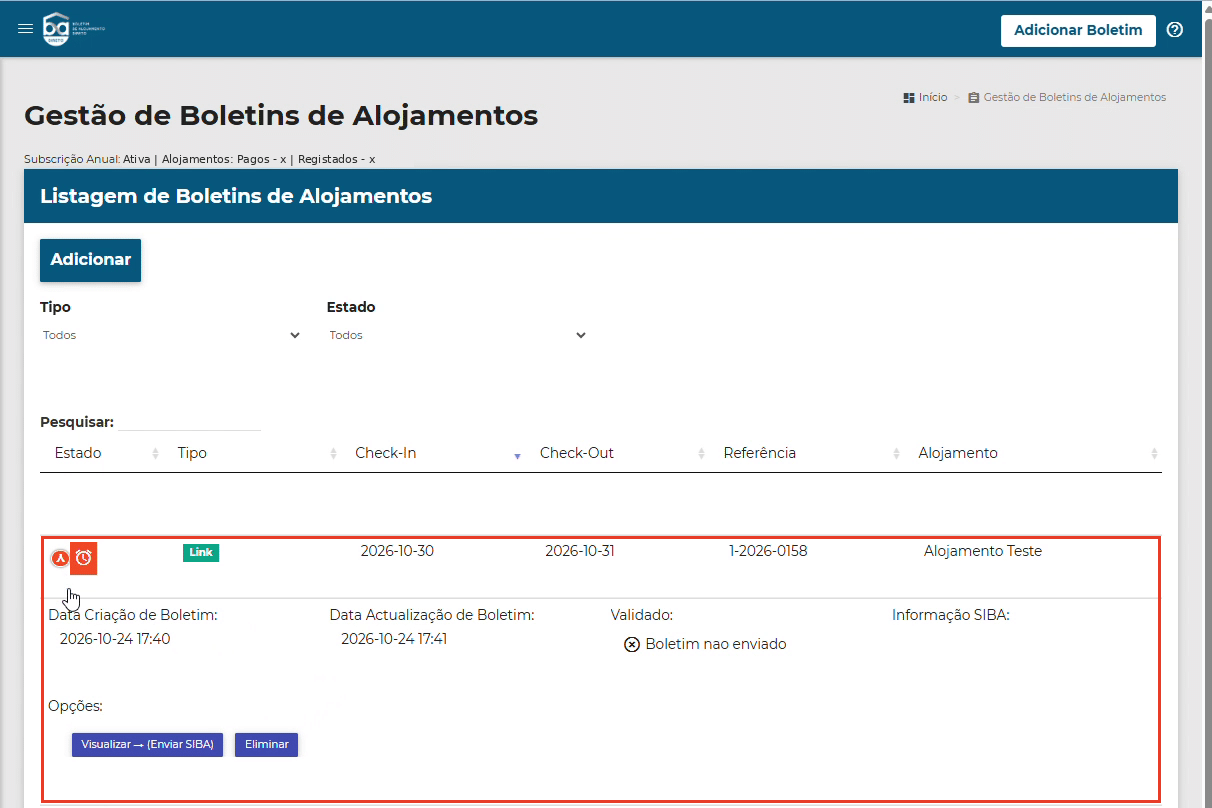
The link expires 5 days after the check-in date.
Copy the link again or delete a bulletin
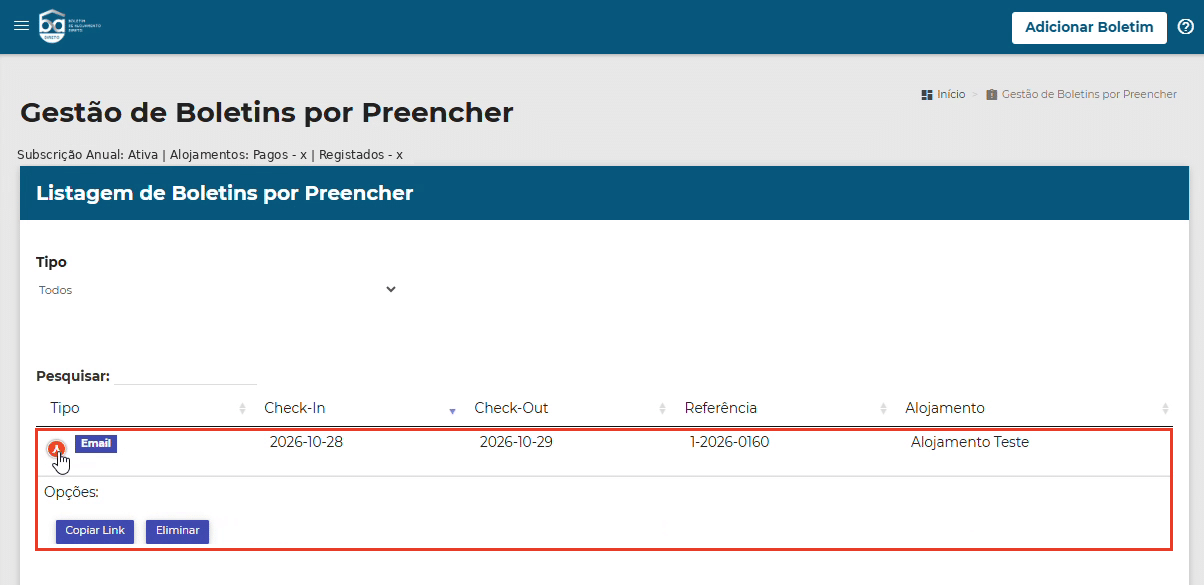
In the Incomplete bulletins list, click the icon to the left of the bulletin to view its options. For bulletins of type Link and Email, the options are Copy link, to send the link to the guest again, and Delete. Bulletins you saved part-way through appear as Standard and have the option Continue: see Save a bulletin and continue later.
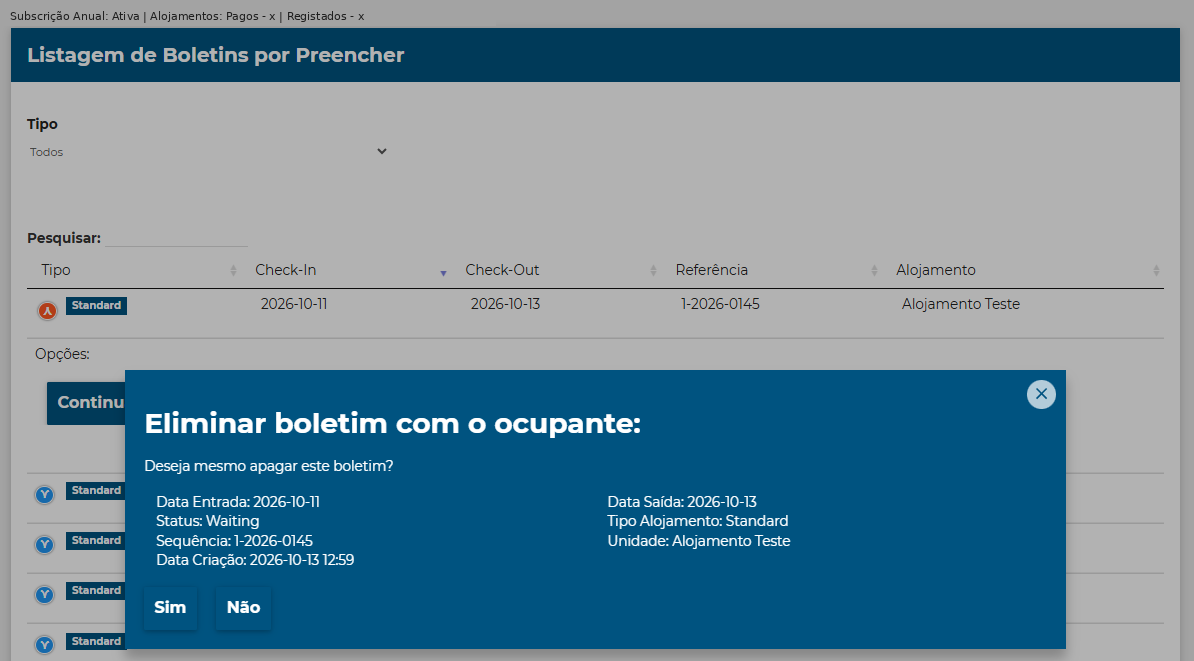
When you click Delete, the “Delete bulletin and occupant” window opens. Click Yes to delete or No to cancel.
Send by email
Watch the video: Send a bulletin by email

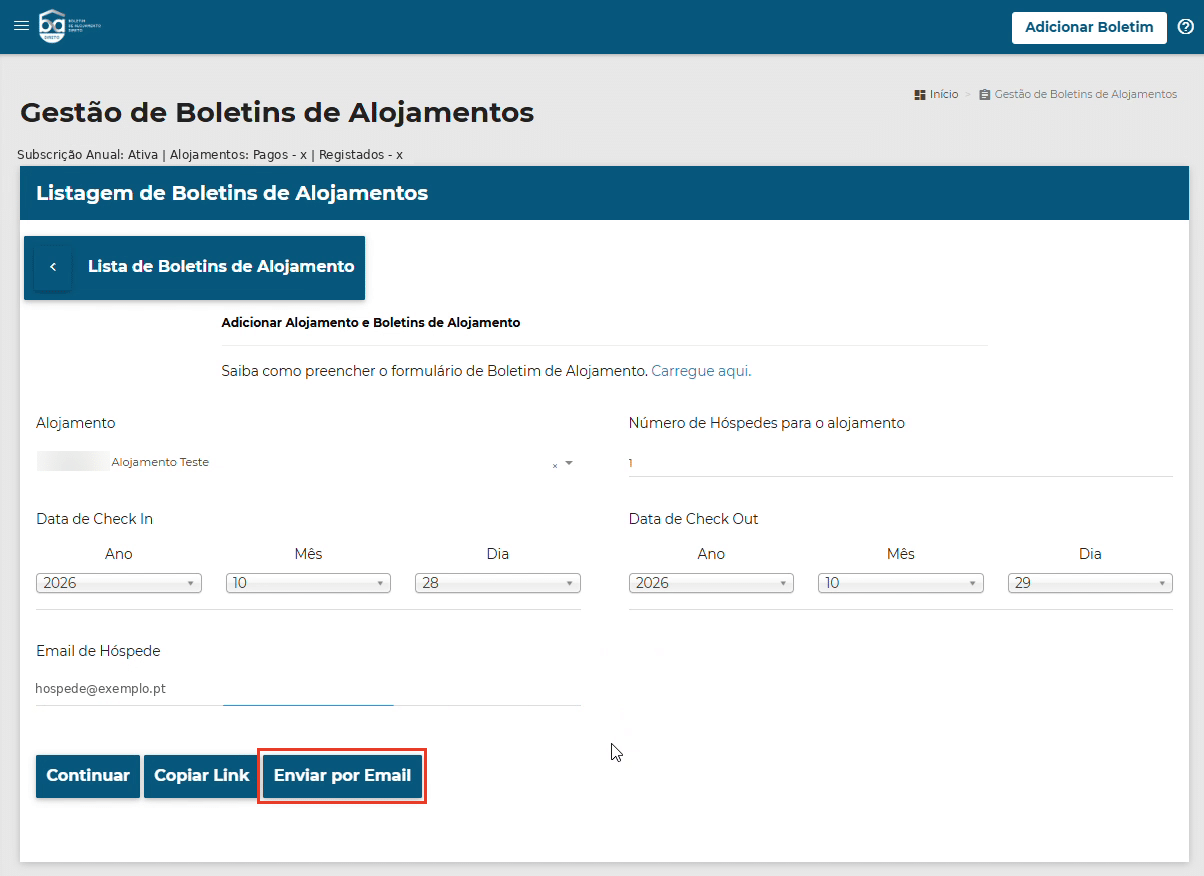
- In stage 1 of the bulletin, enter the guest’s email address and click Send by email.
- The message “Email sent with form” appears.
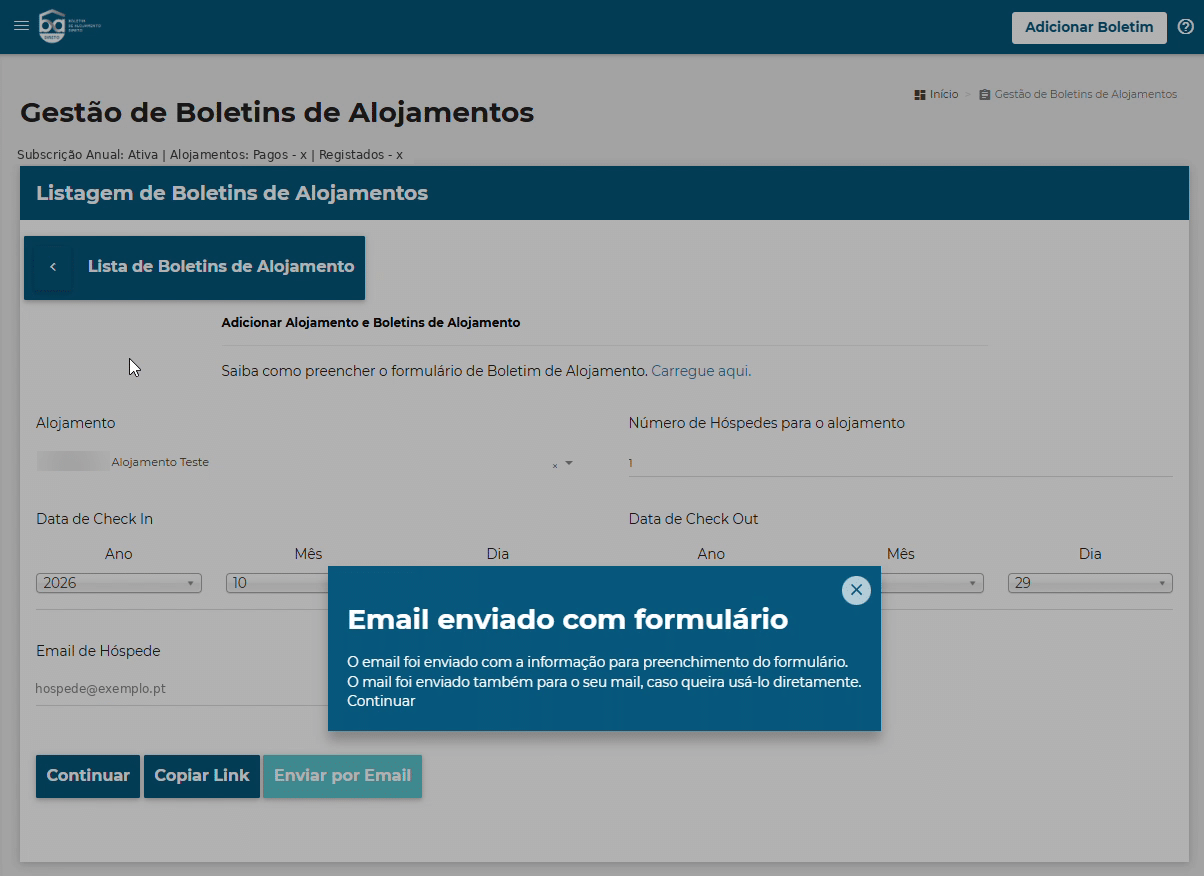
The guest receives an email in Portuguese, English and Spanish, with the button Complete form, which opens the same form.
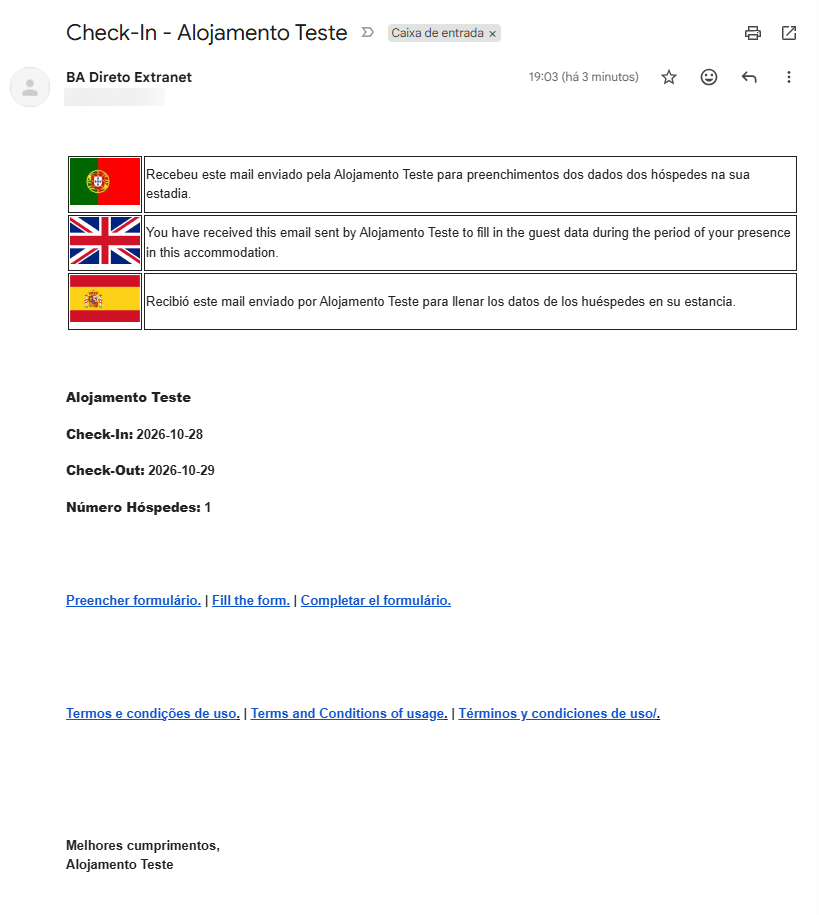
A bulletin sent by email also appears under Incomplete bulletins.
Do you receive bookings through Booking.com? On Booking.com, add info@badireto.pt to approved email addresses and https://checkin-direct.pt/ to approved links so that messages and links reach your guests. See how to add BA Direto to Booking.com’s approved domains.
Why does the guest link start with checkin-direct.pt?
The link sent to the guest starts with checkin-direct.pt because it is simpler and easier for guests to recognise. The completed bulletin appears in the BA Direto Extranet like any other.
If you use automated messages (for example, on booking platforms), include the link shown in the property’s details.
When completing the form, guests can access a guide: at the top, they will see “Learn how to complete the accommodation bulletin form. Click here.”